
Quick start
1. Run Arcovia from your project
Section titled “1. Run Arcovia from your project”From the root of a React or Next.js project, run:
npx arcovia analyze .You can also install the CLI globally:
npm install -g arcoviaarcovia analyze .2. Read the terminal summary
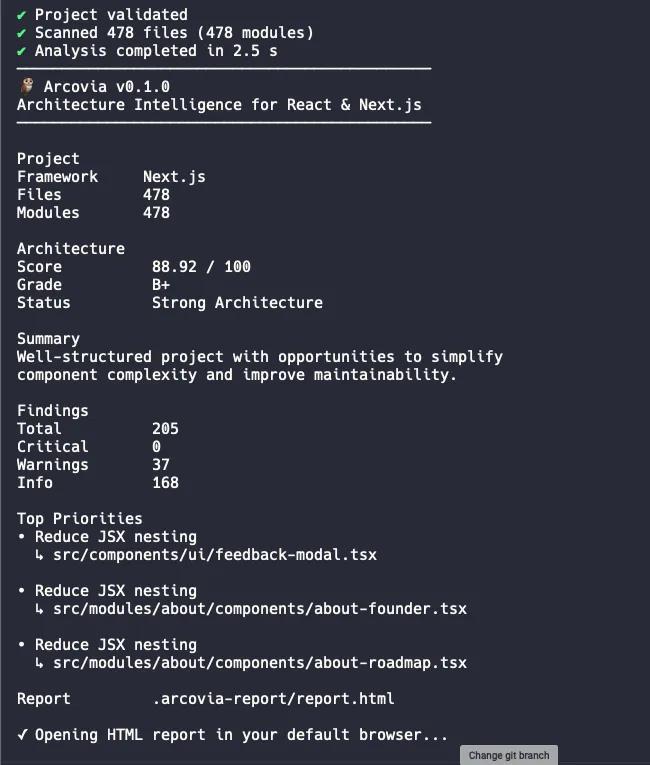
Section titled “2. Read the terminal summary”Arcovia prints the architecture score, grade, highest-priority findings, and the location of generated reports. Start with the score and hotspots, then open the HTML report for the complete view.
3. Open your reports
Section titled “3. Open your reports”By default, Arcovia writes reports to .arcovia-report:
.arcovia-report/ analysis.json report.htmlOpen report.html in a browser. It is a portable, offline file you can share with your team.
Choose an output directory
Section titled “Choose an output directory”arcovia analyze . --output ./reportsNext, learn how to read the report.